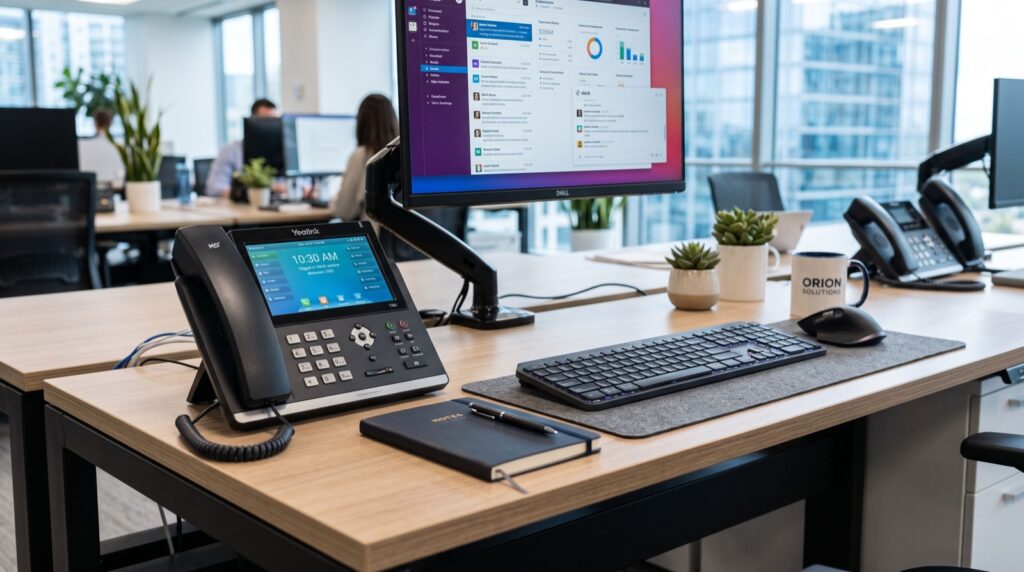
Watch a receptionist juggle nine incoming lines on a two-line handset and you will understand why enterprise telephony is its own hardware category. An enterprise IP phone is engineered for exactly this pressure: dozens of SIP registrations, walls of programmable keys, and screens that show the status of every colleague at a glance. For call centers in Islamabad and Rawalpindi, BPO floors serving overseas clients, and front desks at hospitals and universities, the difference between consumer-grade and enterprise-grade endpoints shows up directly in abandoned-call statistics.
This article breaks down the eight capabilities that define the category in 2026, shows how they map to real seats on a call floor, and gives supervisors a deployment checklist that avoids the classic mistakes. If your team answers more than a hundred calls a day per operator, everything below applies to you.
Why High-Volume Seats Break Ordinary Handsets
Standard desk phones assume a polite rhythm: one call, a pause, another call. Operators live in a different world where three calls hold while a fourth rings and a supervisor whispers on a fifth. Hardware built for the polite rhythm forces operators into memorized feature codes, and every extra keystroke stretches handle time.
Voice traffic keeps climbing worldwide as economies digitize; the International Telecommunication Union tracks this shift in its annual Facts and Figures reporting on global connectivity. Pakistani BPOs competing for that international work are judged on answer speed, which makes endpoint ergonomics a revenue issue rather than an IT preference.
What Features Define an Enterprise IP Phone in 2026?
Eight capabilities separate genuine enterprise endpoints from mid-range devices wearing bigger price tags.
- High SIP line capacity: twenty registrations means one device can front multiple departments, campaigns, or client brands.
- Dense DSS keys with paper-free labels: dynamic key screens beat printed strips, because campaigns change weekly.
- Busy lamp field at scale: operators transfer confidently when they can see forty extensions’ status without asking.
- Dual color displays: a main screen for calls plus side screens dedicated to key status keeps context visible.
- Wired and wireless headset support: electronic hook switch compatibility lets agents answer from a standing stretch.
- Gigabit pass-through with VLAN tagging: one cable serves the PC and the phone while keeping voice traffic prioritized.
- Local call handling intelligence: distinctive ring per campaign, auto-answer for dialer traffic, and hot-desking logins for shift work.
- Expansion module support: reception consoles grow to hundreds of monitored extensions without replacing the base unit.
Matching Hardware to Seats on the Floor
Uniform hardware across the floor sounds tidy but wastes budget. Tier the deployment instead.
Agent seats
Agents need excellent audio, headset support, and a handful of keys. Mid-tier devices serve here, keeping capital free for the seats that need more.
Supervisor and reception seats
These positions monitor everyone. The Fanvil X210 was designed for exactly this chair: twenty SIP lines, three color displays, and over a hundred DSS entries through its side screens, so a supervisor tracks the whole team without touching a mouse. Local availability of fanvil ip phones in Islamabad means evaluation units and warranty swaps do not depend on imports clearing customs.
| Seat Type | Recommended Class | SIP Lines Needed | Key Capacity | Headset Priority |
|---|---|---|---|---|
| Inbound agent | Mid-tier desk phone | 2 to 4 | 6 to 12 keys | Critical |
| Outbound dialer agent | Mid-tier with auto-answer | 2 | 6 keys | Critical |
| Team supervisor | X210 class | 10 to 20 | 50 or more | High |
| Reception console | X210 class + expansion | 10 or more | 100 or more | Moderate |
| Back-office staff | Entry desk phone | 1 to 2 | 2 to 4 keys | Low |
How Do You Roll Out a Call Floor Without Chaos?
Provision centrally or suffer. A template-driven provisioning server pushes accounts, keys, and firmware to every endpoint from one file, which turns a hundred-seat deployment into an afternoon instead of a fortnight. Skill-building follows the same logic as any disciplined practice; the productivity writers who cover habit formation with reliable local experts keep repeating that consistent small sessions beat marathon cramming, and training operators on new key layouts works identically. Run fifteen-minute drills for a week rather than one exhausting seminar.
Then instrument everything. Pull answer-seconds and transfer-failure metrics from the PBX before the rollout, and compare thirty days after. Concrete numbers protect the budget conversation next year.
Common Deployment Mistakes That Cost Real Money
- Buying agent-grade phones for the reception console, which forces blind transfers and callback loops.
- Skipping electronic hook switch cables, leaving agents chained to the desk when standing would relieve fatigue.
- Ignoring firmware management, so half the floor runs a version with a hold-music bug fixed months earlier.
- Leaving hot-desking unconfigured on floors running two shifts, doubling the hardware bill for no reason.
- No spare pool: two percent of any fleet is always in repair, and a missing spare turns a broken phone into an empty revenue seat.
Frequently Asked Questions
How many DSS keys does a receptionist actually need?
Count the extensions she transfers to in a normal week and add thirty percent for growth. Organizations past sixty monitored extensions should plan on expansion modules or a console-class device from day one.
Can an enterprise IP phone work with cloud contact center platforms?
Yes, whenever the platform exposes SIP registration, which most do. Confirm the vendor’s compatibility list first, since some cloud services certify specific firmware builds for advanced features like presence sync.
What is hot-desking and why does it matter for shifts?
Hot-desking lets an operator log into any physical phone and pull her own extension, keys, and voicemail to that device. Night shift then reuses the same hardware as day shift, halving the endpoints a two-shift floor must buy.
Do three screens on one phone genuinely improve speed?
For monitoring-heavy roles, yes. Dedicated side screens keep extension status permanently visible instead of buried behind menu pages, and supervisors report faster escalation handling within the first week.
Conclusion: Equip the Seats That Carry the Load
Call floors win or lose on seconds, and hardware either gives those seconds back or steals them. Tier your purchase, provision from templates, train in short drills, and put a genuine enterprise IP phone at every supervisor and reception position where call traffic concentrates. Arrange an X210 evaluation for your busiest console this quarter and measure the before-and-after numbers yourself; the statistics will make the rest of the decision for you.